
Why Too Many Webpages and Thin Content Can Hurt Local Business Websites
Summary of the article on this page (Independently AI generated):
This article recommends looking at each page and asking whether it has a good reason to exist. Check Google Analytics and Search Console to see which pages receive traffic and which aren’t performing. Weak pages can sometimes be improved or combined rather than simply deleted.
The bottom line: don’t focus on how many pages your website has. Focus on whether every page provides something useful to customers and search engines.
Table Of Contents:
Additional Information by Yoast: What is thin content? • SEO for beginners • Yoast
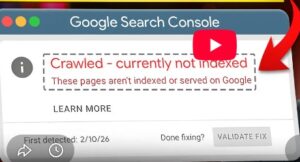
Video: Why Google Crawls Your Page but Refuses to Index It – And how to fix.

- Additional Information that complements this article about too many webpages and thin content:
What is thin content? • SEO for beginners • Yoast – Tap here to view. Opens in a new tab.
“Google considers low-quality affiliate pages, doorway pages (pages optimized for a keyword that redirect the user to another page), or simply pages with very little to no content as thin content pages.”
1. I am in the process of auditing 100 southern Utah websites and compiling that data. I’ve discovered that some of these websites have too many webpages.

For example, I’ve found an interior design business in Washington, UT, which has 95 pages (Google map ranking: #8). There’s a St. George house cleaning service that has 133. (Google map ranking: #5)
I will add a caveat here. I have come across local websites that have a lot of pages and rank #1, thanks to good SEO and good content.
Here’s the thing: most local website owners and local SEO business owners think more pages sound good. “More pages means more chances to rank, right?”
Wrong. It’s the opposite. More webpages don’t hurt or help rankings. Nope, it’s unnecessary, duplicate, thin, or competing pages that are causing the problems.
Let me explain why.
2. Thin Content and St. George Business Websites

During my audits, one of the things I look at is how many “thin content” pages a business website has. I’ve seen websites where almost all of the pages could be considered thin content.
Another thin content idea: Something I’ve heard about, but haven’t yet seen, is nearly identical location pages. These are pages that are basically the same, but the location has been changed. If I ran into this on a website I was visiting, I would leave.
Why Thin Content and Identical Pages Happen
I’m thinking one of two things happened to cause those.
- The business owner didn’t know any better, or
- The SEO person did this, again, not knowing any better.
A St. George business owner or SEO person thinks, “More pages = better rankings, right?” In a way, this might be true, but you need the correct pages. Those would be: “here’s the services we offer” pages and “here’s where we work” location pages.
A website needs enough of those types of pages, whether that’s 10 pages or 100. Whatever it takes, as long as they’re well designed pages.
By location pages, I am talking about local cities and communities like St. George (city), Ivins (city), or Kayenta (community).
By service pages, I mean what the business does for its customers. For example, a window cleaner might have separate pages for interior window cleaning, exterior window cleaning, screen cleaning, and hard water stain removal. All of these are important service based pages for a window cleaning website.
Unnecessary Pages that Show up On A Website | Misc. Pages
An unnecessary page is a page that probably won’t help a business rank higher in a search. Sometimes It’s a page that might be of interest to visitors.
A good example is that I own a house cleaning website. On that site is an article I wrote a long time ago titled “8 Germ-Ridden Places in Your Home.” This is an unnecessary page that probably won’t help the website get to page one of Google. That said, I like the article, so I’m keeping it on the website.
Your website needs enough quality service and location pages.. Having a bunch of pages (especially thin content pages), probably won’t help your website show up on Google. If that was the case you could have an AI write all of your content, paste that on your website, and call it a day.
3. Can Too Many Low-Value Pages Hurt Your Website?

A website page-count isn’t the issue. A local site can have hundreds of unique pages and as long as those pages add valued content, those pages can’t harm your ranking on Google.
The big problem is having many low-value webpages. These two items come to mind when I write that sentence.
1. Repetitive and / or duplicate pages that add nothing of value or
2. Straight AI fluff articles that, again, add nothing of value.
Plus, most readers will find that type of content (Straight AI articles) annoying.Do you want Google to index your webpages? Then create high value pages / articles and have a well built, well thought out website.
4. Why Websites End Up Bloated

Most business owners don’t mean to create bloated sites.
As a business owner, you might read that neighborhood pages help with local SEO. So you create one for every single area you work in. Then you might get excited about content marketing and add a bunch of blog posts. Next, someone tells you to create comparison pages. And service variation pages. And seasonal pages. Before you know it, you’ve got 80 pages with most of them getting no visitors.
Another cause of bloat
A thought pattern of “what if we need a page for this? What if customers search for that?” That can be where it all starts.
5. Does adding more location pages help local SEO?

Bluntly, no. Once all the locations are covered there is no need to duplicate locations.
My recommendation is to only add location pages when you can provide unique content about the location and the services offered.
6. How do you know if your website has too many pages? | Diagnosis

There isn’t one or two things that point to having too many webpages. It’s more of an issue of having duplicate pages, over-lapping pages, or pages with content that is either thin or doesn’t have a purpose related to getting more traffic.
Try this. Have a friend or family member take a good look at your website. Do they think you have too many poorly written or duplicate pages? If so it’s time to trim the fat (I.E. get rid of pages that don’t help).
7. What should you do with the webpages you don’t need?

If you think you have too many pages on your website, start by looking at your site through Google analytics and Google search console.
Which pages are getting traffic? How many are just sitting there? Which pages have thin or redundant content?
A fix.
I don’t know if this is quick, but it will move the needle. I’ve combined articles in the past on most of my websites. This can take a poor content page and turn it into a page that will get indexed and read.
Strengthen the article / pages that remain. Here’s a thought: find a webpage you really like on your site that isn’t indexing or isn’t ranking and then modify that page each day for 15 to 30 minutes. Eventually that page will index and if you keep working at it the page will show up on Google searches first page.
You can also do what I did for this article.
Show an AI an article that you want to show up on the first page of a Google search. Ask what you need to do to achieve that. Follow the AI’s advice.
Something else you can do is look at the pages of your competitors that are already on Google’s first page. Then find out what those pages have that yours doesn’t, then add what you need to to beat those pages.
Really, if you can’t put up content that will rank highly, re-create the pages you already have. My paper: “I audited 100 St. George websites” shows me beyond a doubt that a page with good content will outrank a page with more content, hands down.
8. What Your Local Websites Should Actually Look Like | The Ideal Structure

A great local website might look like this: Home page. Category pages. Service page articles to match the services you show on your GBP. A contact page. An “about us” page. A privacy page and T.O.S. page.
For local content, you don’t need a page for every neighborhood. Google understands where you work. You don’t need to prove it.
More quantity or more quality?
A site with a dozen or two with excellent content can outrank a 100-page site with poor content.
Good quality articles / pages. That can get my clients and you, to page one in a Google search.
9. Reddit: r/localseo – MohsinKhan_
Why I rarely recommend creating a location page for every nearby city
I’ve audited many local business websites where every nearby city had its own page, but the content was almost identical. And the only noticeable change was just the city name.
Those pages rarely performed well because they didn’t offer anything unique.
Now, I only recommend creating a dedicated location page if there’s something real to talk about:
You’ve completed projects there.
You have customer testimonials from that area.
You can share photos of your work.
The services or regulations differ.
You can answer questions specific to that city.
I’d rather have 10 genuinely useful location pages than 100 thin ones.
What’s been your experience? Have you seen such large numbers of location pages work well, or do you focus on quality over quantity?
My reply: I would agree with your thoughts. Multiple location pages are like praying for the same thing over and over. I think the recipient got it the first time.
Do you have excellent local content that adds to your site? Go for it. If not, skip it.
10. People Also Ask:
- Question: What is the 80/20 rule in SEO?
My answer: This means the same thing it does everywhere. 80% of the time spent working on a website accounts for 20% of the results. The opposite is also true. That is the 20/80 rule: 20% of the work you do on a website will bring 80% of the results. Bottomline? Do your best to spend time on the 20% that brings the best results.
- Question: What is poor SEO?
My answer: Poor SEO is what happens when a person fails to take actions that would push their website to the top of a Google Search.
- Question: What does SEO content mean?
My answer: SEO Content is either articles that have been modified so it is SEO compliant or SEO Content is content (articles, etc.) that talks about SEO.
- Question asked: What is thin content?
My Answer: There are two common answers to the question. 1. Thin content is poorly written articles, say articles written by AI only. 2. Thin content are also webpages that have very little information on them.
- Question: What does SEO mean?
My Answer: SEO stands for Search Engine Optimization. SEO is a process used to help web pages show up in Google searches.
About the owner of this website:

My name is Don Glasgow
I built my first website in 2001. I ranked that site almost immediately for "St. George real estate. Yes, I live in St. George, UT.
I've built many more websites since then.
I also have an enormous amount of knowledge on how to get a website to rank.
Bloated website and thin content